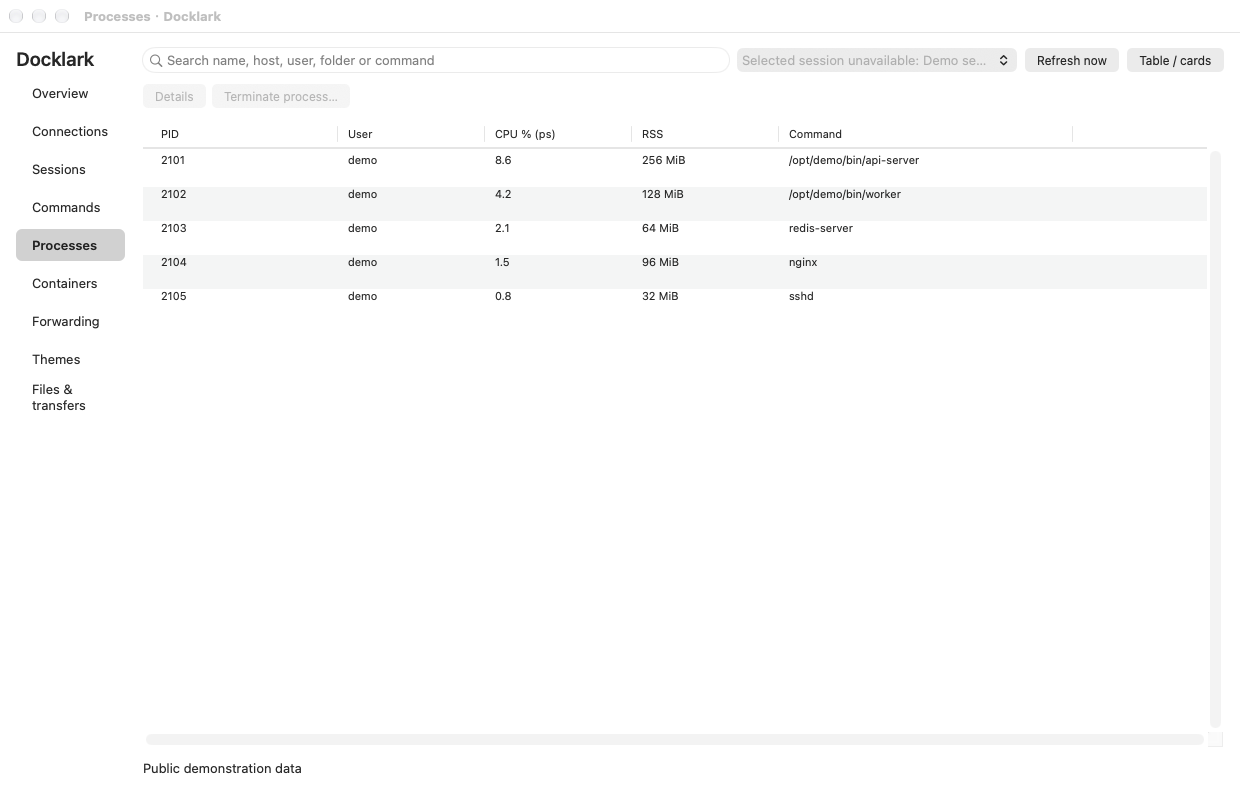
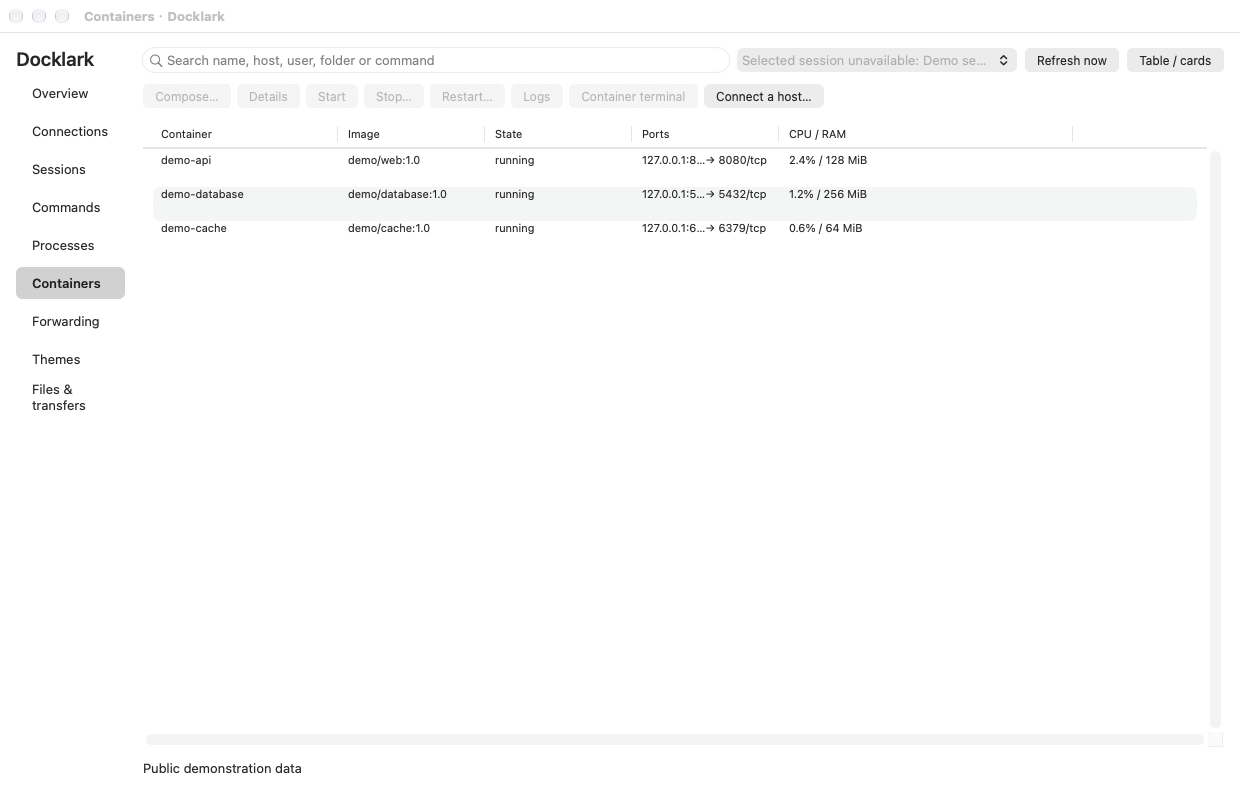
Ask in the context of your terminal
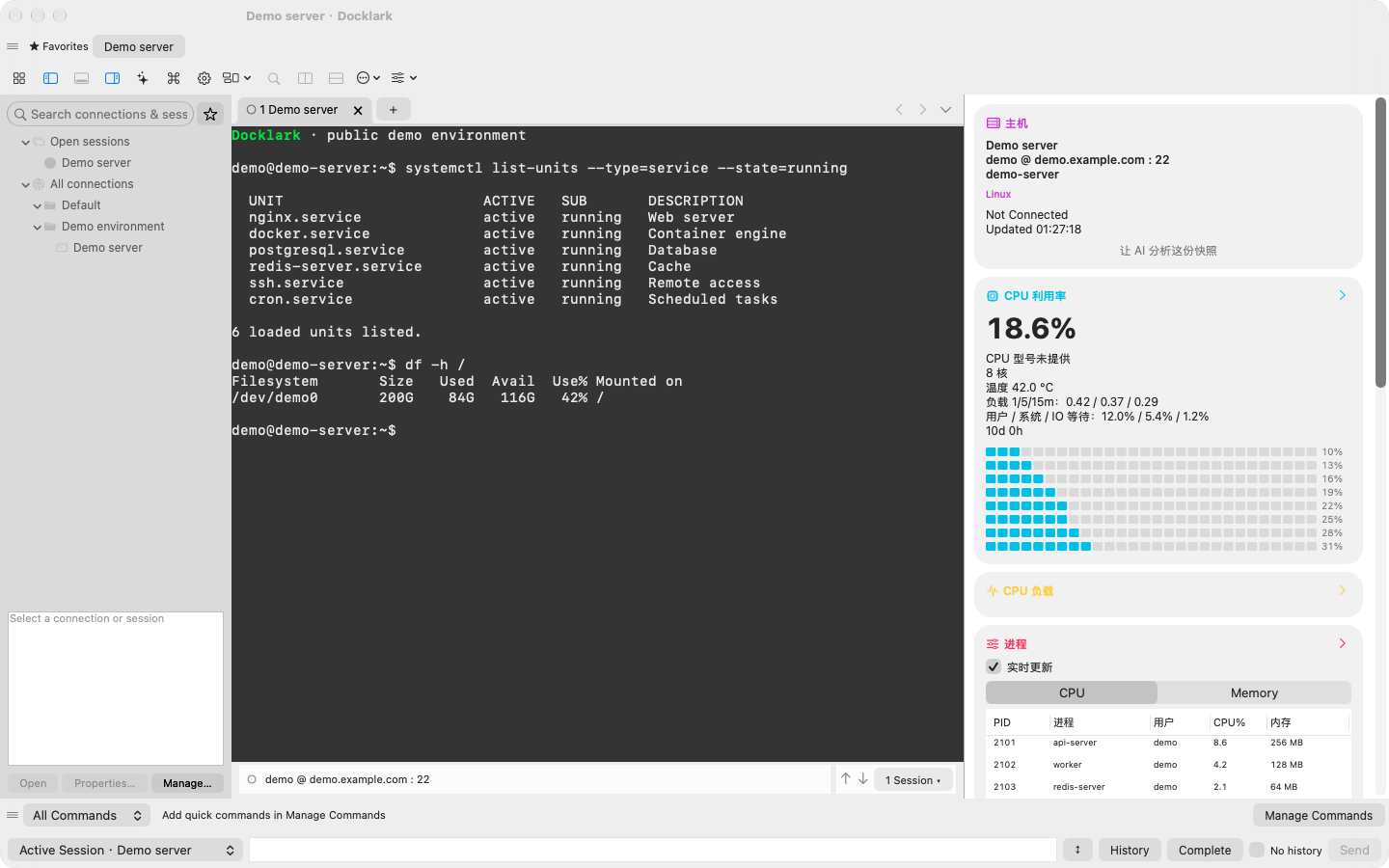
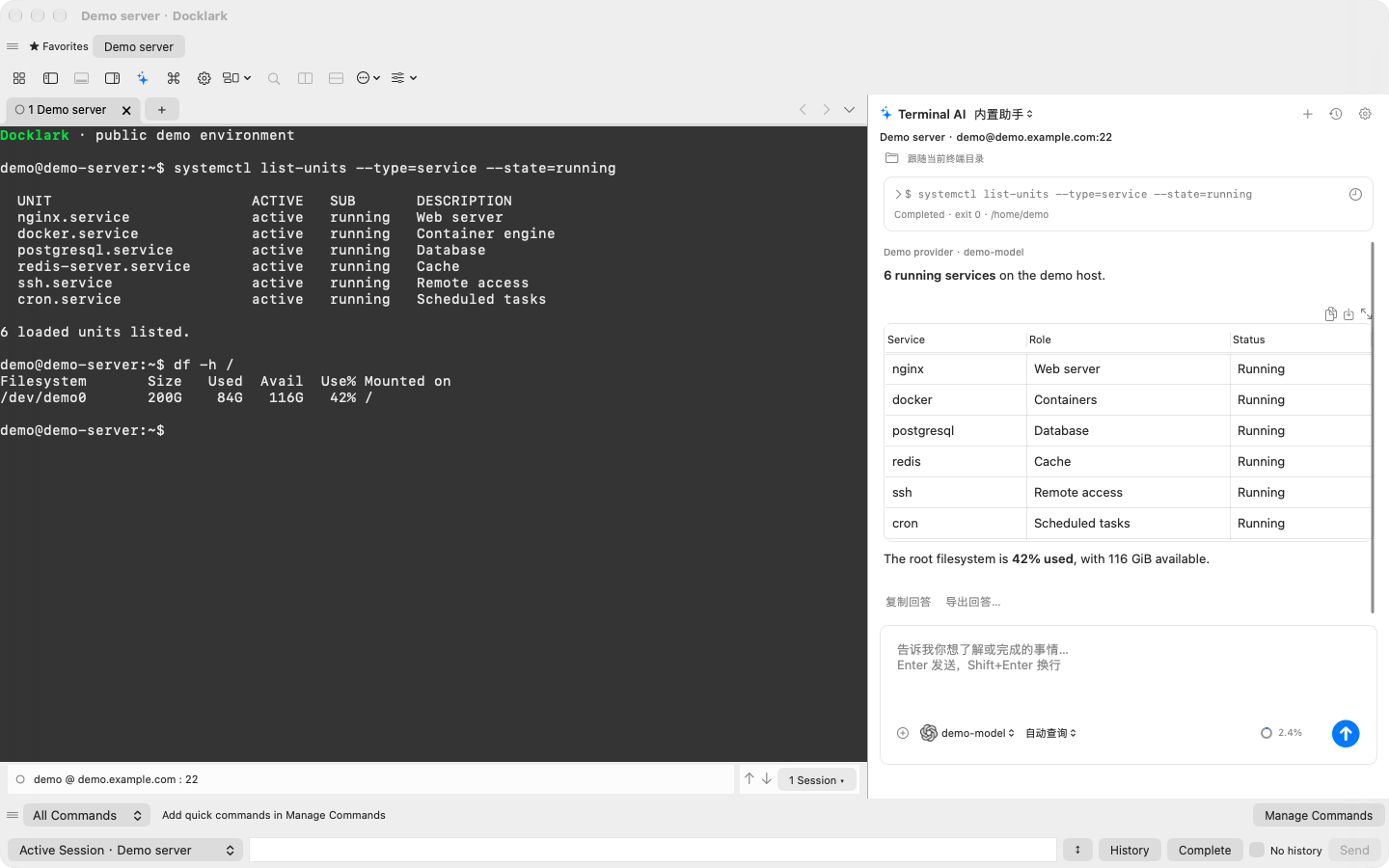
Ask about services, disk usage or an error. Add selected output, recent logs, text files or images, and preview the context before sending.
NATIVE MAC SSH WORKSPACE + AI
Connect to your hosts. Ask about services, logs and resource usage. Keep commands, answers and remote files together in one native workspace.
Windows 10/11 coming soonThe current download is the macOS DMG for Apple Silicon (arm64).
AI uses your own provider account. Screenshots use public demo data.
AI, NEXT TO YOUR TERMINAL
Keep the terminal, the question and the answer in the same workspace. Your chosen model helps you understand the host you are working on.
Ask about services, disk usage or an error. Add selected output, recent logs, text files or images, and preview the context before sending.
Auto query runs supported read commands and asks before changes. Choose confirmation for every tool call, or stay in suggestion mode.
Expand a tool card to inspect its command, target, working directory, exit code and result. Keep the evidence beside the conversation.
Copy or export answers and tables, enlarge a table, or stage a suggested command in the composer. Search local conversation history when you return.
Use your own provider account. Configure OpenAI, Anthropic, Gemini, Ollama or a compatible endpoint; choose enabled models without reentering the same key. A configured Codex Agent is also available.
Less switching. More understanding.Your terminal. Your assistant. One workspace.
FROM HOST ACTIVITY TO THE NEXT QUESTION
Distinct cards for CPU, load, processes, memory, network and storage. Open metric details, inspect trends, or send a resource snapshot to the AI assistant.
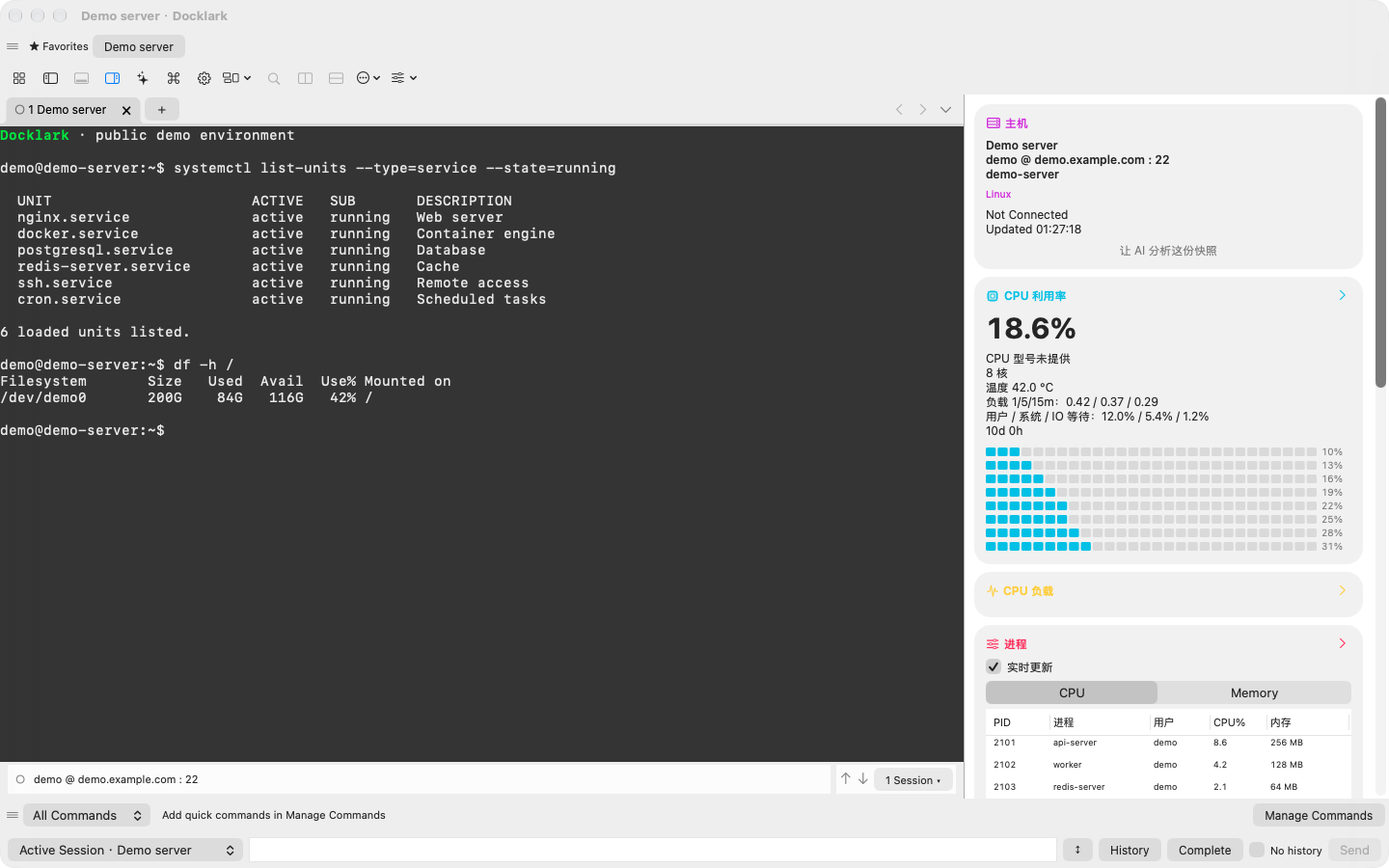
Metric cards & detailed views
History charts & process ranking
Resource snapshot → AI analysis
ONE WORKFLOW, LESS FRICTION
Folders, favorites and search keep saved hosts within reach.
Query services or attach an error. Review the context and execution details.
Export the answer, stage a command or open SFTP to work with remote files.
Illustrated workflow guide, not a product recording or completed transfer. Animation is optional and respects reduced-motion settings.
BUILT AROUND DAILY SSH WORK
Bring AI assistance, connections, remote files and host monitoring into the same daily workflow.
Ask about services, logs and host resources. Inspect commands and results, then copy or export the answer.
02Nested folders, inherited colors, favorites, templates and batch editing keep hosts organized.
03Move connected tabs between splits and windows. Save named layouts and restore them ready for manual connection.
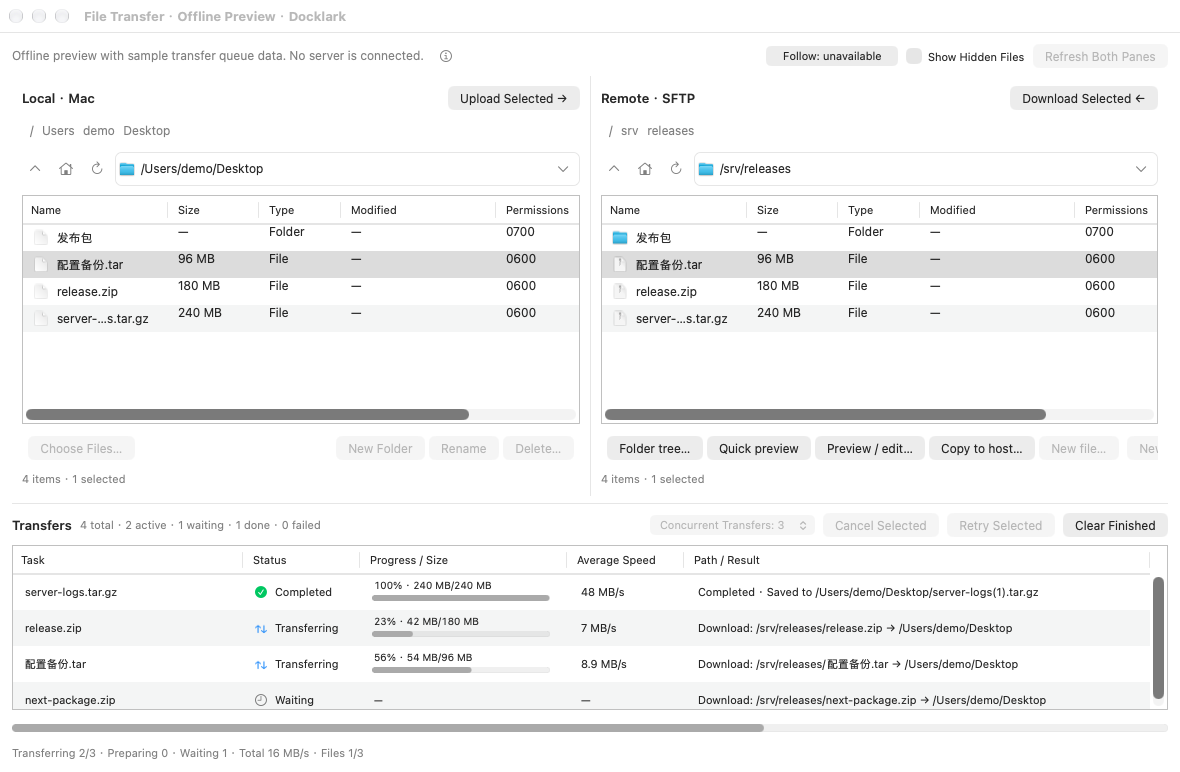
04Browse, queue transfers, follow a confirmed shell directory and edit remote text with a change preview.
05Review target sessions, reuse command history, complete paths and fill parameterized quick commands.
06Metric cards for CPU, load, memory, network and storage, with trends, process ranking and AI snapshot analysis.
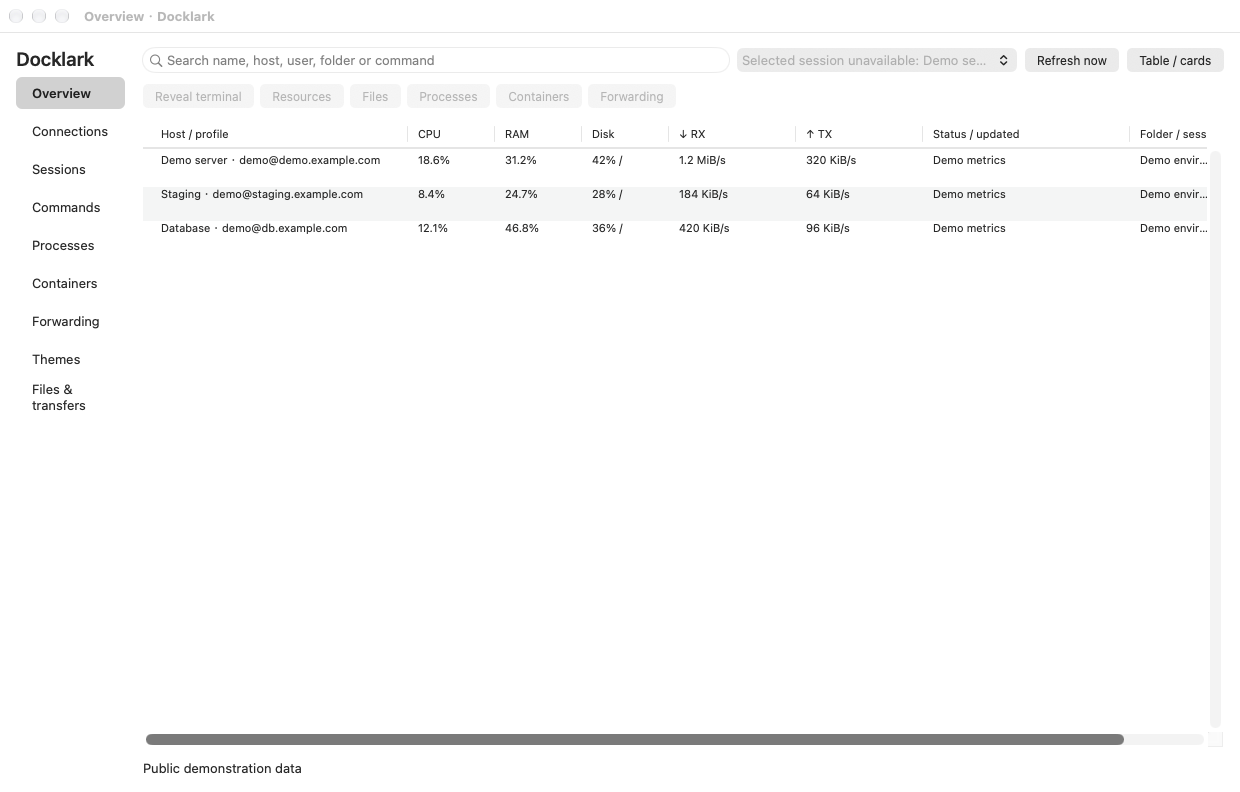
07A multi-host overview brings processes, Docker containers and forwarding into one place.
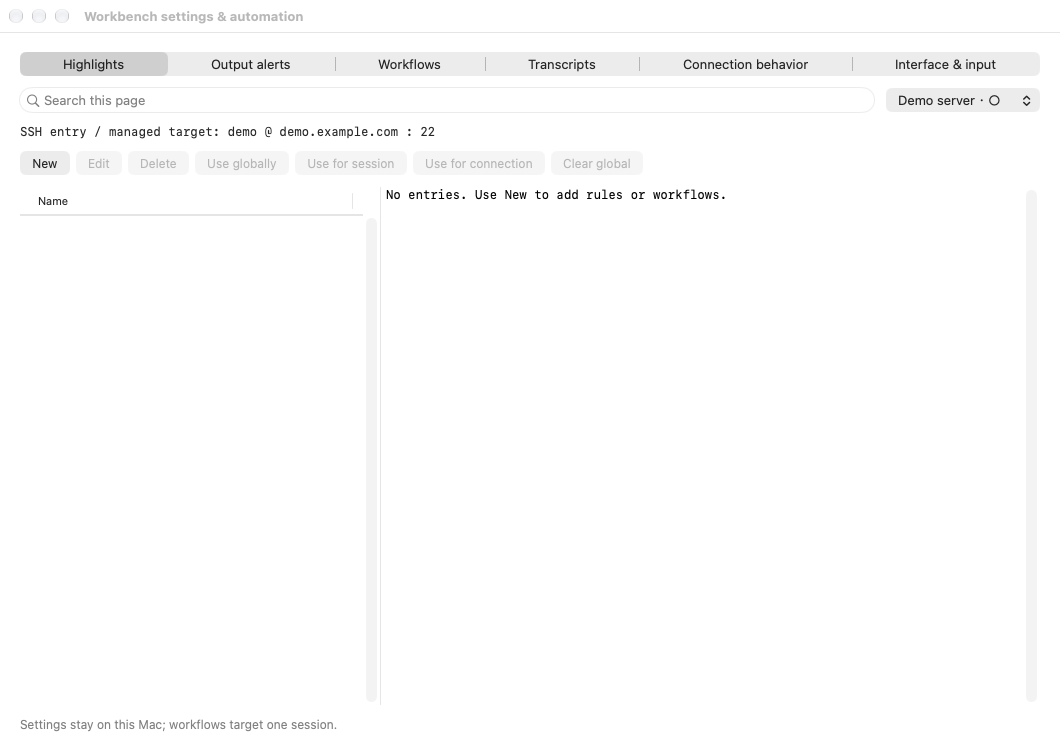
08Inline terminal find, persistent highlights and output alerts help you follow important events.
09Manually run or single-step a workflow with commands, output waits, sensitive input and pauses.
1013 terminal palettes, theme import and export, per-session styling and independent background controls.
See how a graphical SSH workspace fits alongside macOS Terminal.
Explore the SSH workflow SFTP CLIENT FOR MACUnderstand local and remote browsing, queues and entry-host limitations.
Explore the SFTP workflowMAKE IT YOURS
Follow macOS or choose a light or dark interface. Preview, search and favorite themes, then apply them to one session, a saved connection or all workspaces.
Includes Nord, Dracula, Solarized Dark/Light and Tokyo Night Night/Day. Import JSON or .itermcolors, export JSON, or duplicate a built-in palette to edit text, background, ANSI, cursor and selection colors.
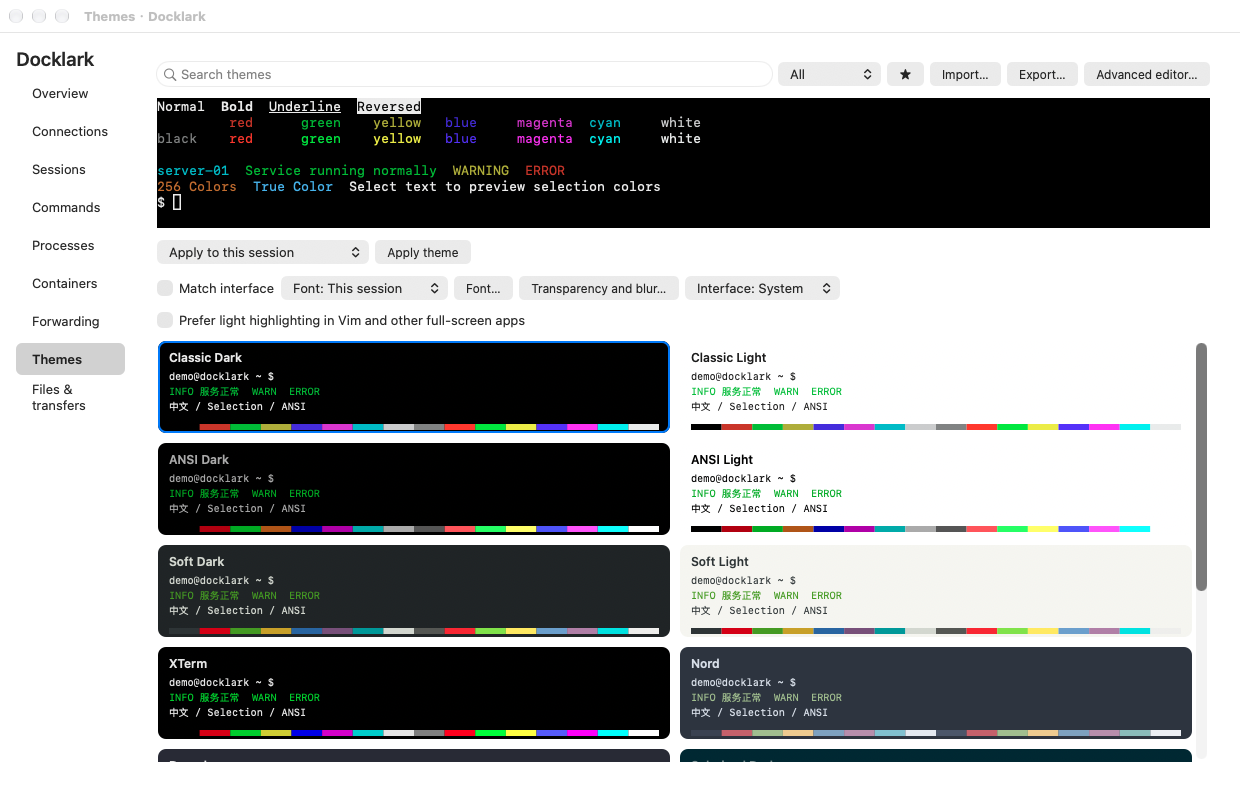
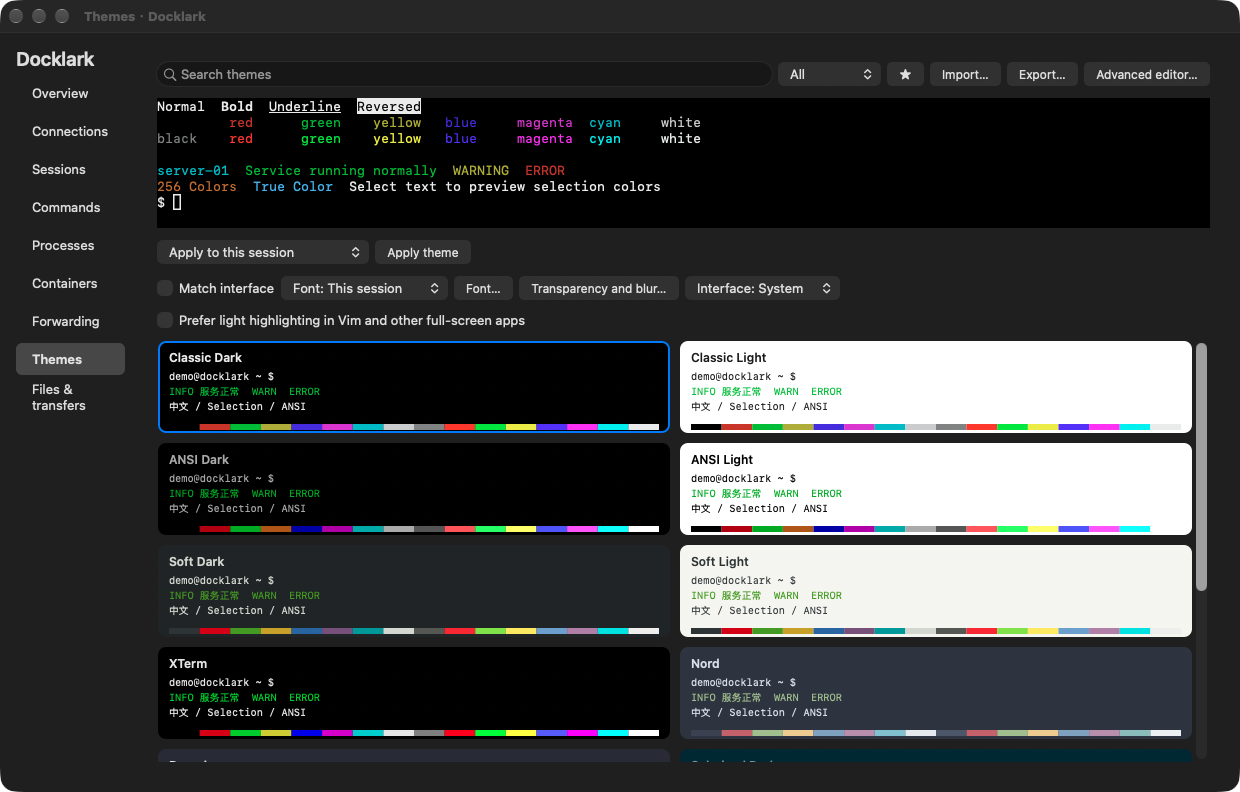
Actual app captures · English UI · v0.2.132
Light and dark appearances captured in the installed app; built-in multilingual samples are preserved.
ANSWERS BEFORE YOUR NEXT CONNECTION
Choose a client, prepare a connection, move files and diagnose common errors.
GOOD QUESTIONS
Auto query runs supported read commands and asks before changes. You can require confirmation for every tool call or choose suggestion mode. Execution cards show the target, command, working directory and result.
Yes. Configure your own provider account or local Ollama service. Model access, pricing and usage depend on that provider. You can use the SSH workspace independently.
The assistant includes known session information. Terminal selections and recent output are added explicitly. Preview context and attachments before sending; submitted material goes to the selected provider.
Yes. Terminal includes the ssh command. Docklark adds a native graphical workspace for organizing connections and working with multiple sessions.
The public v0.2.146 DMG targets Apple Silicon (arm64). Minimum macOS compatibility and Intel support are not independently confirmed. Check the download notes before installing.
It does not follow bastion menus or nested SSH. Ordinary connections use the SSH entry host; configured managed jump chains use the final authenticated target. Optional same-host directory following is a separate feature.
No. The images show native v0.2.132 view controllers in both languages and appearances, using public fixtures for hosts, AI responses and transfer queues. They do not certify live model answers, production transfers or every server environment.
CURRENT PUBLIC RELEASE
This page was checked against installed v0.2.132 (build 142), covering its main screens, monitoring, file browsing, editor previews and settings. Detailed behavior is cross-checked with the application documentation.
All 36 product images were recaptured from native v0.2.132 view controllers on November 9, 2026 in English and Chinese, in light and dark appearances. Hosts, AI responses, transfer queues, processes and containers use isolated public fixtures; these are not live model answers or production transfers. Full workflows still need real-world acceptance: this review does not certify file writes, container changes, live forwarding, every authentication path or every server.
Read the development historyDOCKLARK FOR MAC
Windows 10/11 coming soonThe current download is the macOS DMG for Apple Silicon (arm64).
Download DocklarkFree download for Apple Silicon. Bring your own AI provider account.